

How Should a Scottsdale or Glendale Contractor or Trades Business Set Up Payment Processing in the Field?
If you run an HVAC company, plumbing operation, electrical contracting business, or any other trades service across Scottsdale or Glendale, you already know the job doesn’t end when the work is done — you still have to get paid. And in 2025, standing at someone’s front door asking for a check or waiting three weeks to invoice feels like a liability, not a business practice. The good news: setting up reliable field payment processing is simpler than most contractors think, and the right setup can meaningfully speed up your cash flow and reduce the number of clients who “forget” to send that check.
This guide walks you through exactly what a trades or contracting business should consider when setting up payments — from the hardware in your technician’s pocket to how you handle bigger jobs where ACH or invoicing makes more sense than a credit card swipe.
Why Payment Processing for Contractors Is Different from Retail
Most payment processors build their products around a retail or restaurant experience — a fixed counter, a steady WiFi connection, and a customer standing right in front of you. That works great for a boutique in Old Town Scottsdale or a taco shop in Tempe. It doesn’t work as well when your technician is finishing a repair job in a Surprise or Peoria neighborhood with spotty cell service, or when you’re closing a $12,000 HVAC replacement job in a North Scottsdale home and the homeowner wants to pay over time or by wire.
Trades businesses have a few specific needs that standard processors often overlook:
- Payments happen in the field, not at a counter — your team needs terminals or apps that work away from your shop
- Job sizes vary wildly — a service call might be $150, but a full replacement job could be $8,000 or more
- You often need to invoice after the fact, not just collect at time of service
- Larger B2B jobs (commercial clients, property managers, general contractors) may prefer ACH or check — and you should be able to accommodate that without losing the sale
- Multiple technicians in the field means you need visibility into who collected what and when
The Right Hardware for Field Payments: What Actually Works
The most practical setup for most contracting businesses is a combination of mobile terminals and a back-office invoicing platform. Here’s how to think through the hardware side:
Mobile Terminals for Technicians
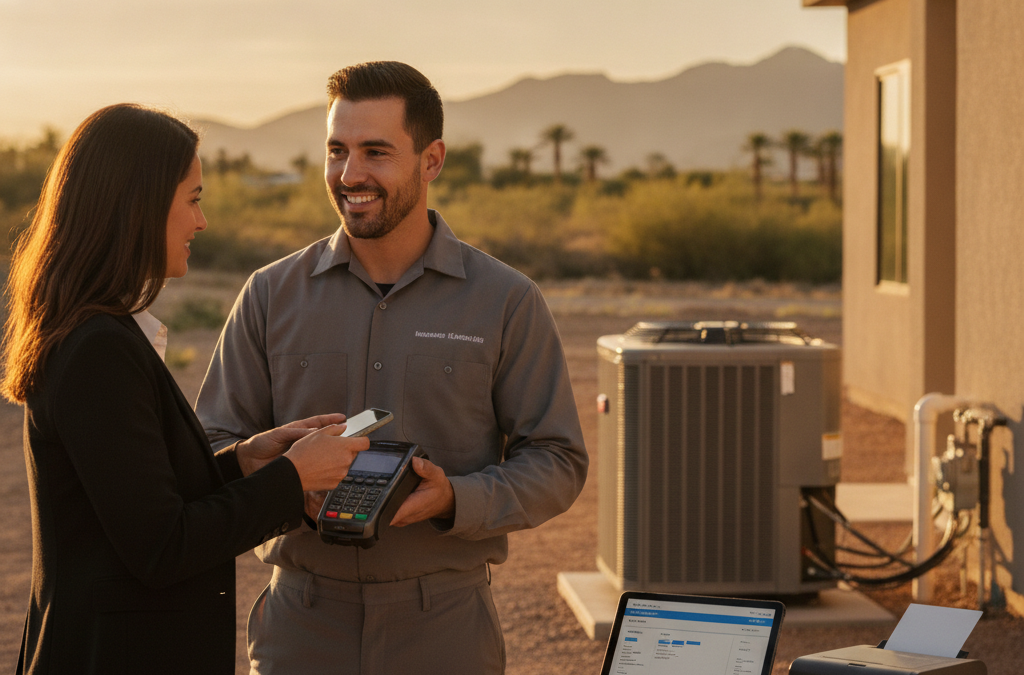
If your techs are collecting payment on the spot — after a service call, at job completion, or for a deposit before work starts — they need something portable, rugged, and reliable. A device like the Clover Flex hits all three marks. It’s a handheld terminal with a built-in screen, receipt printer, and 4G/WiFi connectivity. It handles chip cards, tap-to-pay (Apple Pay, Google Pay), and swipe. Your tech hands it to the customer, they tap or dip, and the transaction is done in seconds.
One feature that’s genuinely useful for contractors working across Maricopa County: store-and-forward processing. If your tech ends up in a dead zone — say, a basement equipment room or a remote property in Cave Creek — the terminal can store the transaction locally and submit it automatically when connectivity is restored. You don’t lose the sale just because you lost signal. You can learn more about how wireless and mobile terminals work for field businesses on our site.
Smartphone-Based Readers for Smaller Operations
If you’re a solo operator or a small crew just getting started, a Bluetooth card reader paired with a mobile app can work fine for smaller transactions. The Clover Go is a compact option that pairs with your phone and handles chip and contactless payments. It’s not ideal for a multi-tech operation, but for an independent handyman or one-person plumbing company in Chandler or Mesa, it gets the job done without a big upfront investment.
Invoicing and Virtual Terminals: The Back-Office Side of Getting Paid
Not every job gets paid at the door. If you’re billing commercial clients, working on net-30 terms, or finishing a multi-week project, you need a way to send professional invoices and collect payment online — without paying for a separate billing platform.
This is where a lot of contractors cobble together mismatched tools: QuickBooks for invoicing, Venmo for small payments, a card terminal for in-person collections. It works until it doesn’t, and it makes your reporting a mess.
A cleaner approach is a payment platform that handles all of it in one place. The CardPointe Suite is a strong fit here — it gives you a cloud-based dashboard, invoicing tools, and a virtual terminal for keying in card payments over the phone. You can email a payment link to a client, they pay online with a card or ACH bank transfer, and you see it hit your account. For a contracting business billing multiple jobs at once across Phoenix and the surrounding Valley, having everything in one reporting dashboard is a serious time-saver.
ACH Payments: The Right Tool for Bigger Jobs
Here’s a topic that most processors — and most of the competitor sites serving this area — barely mention for trades businesses: ACH payments. When you’re collecting $5,000 or $15,000 for a commercial HVAC installation or a full kitchen remodel, running that transaction on a credit card costs you real money. At a standard rate of around 2–3%, a $10,000 job means $200–$300 in processing fees on a single transaction.
ACH (bank-to-bank transfer) typically runs at a flat fee or a much lower percentage — and for commercial clients who are paying from a business account anyway, it’s often their preferred method. If you’re doing regular work with property management companies, commercial builders, or repeat B2B clients in Glendale, Peoria, or Surprise, ACH should be part of how you collect payment on larger invoices.
We set up ACH processing for contractors all the time. It’s not complicated, and it doesn’t require a separate bank relationship — it integrates directly into your payment setup.
Zero Cost Processing: A Real Option for Contractors
One more angle worth knowing about: cash discount and surcharge programs. More contracting businesses in the Valley are using these to pass card processing fees on to customers who pay by card, while offering a slightly lower price for cash or check payments. When your average ticket is $500–$2,000, the savings add up fast.
Done right and disclosed properly, these programs are fully legal in Arizona and straightforward to implement. Done wrong — with confusing signage or incorrect fee structures — they create customer friction and compliance headaches. We walk every contractor client through the setup correctly from day one so there are no awkward conversations with customers at the end of a job.
What to Look for in a Processor as a Trades Business
This is the part that most processors won’t tell you upfront. When you’re evaluating who to work with, ask these questions:
- Do you support offline/store-and-forward processing for field techs in low-connectivity areas?
- Can I send invoices and collect ACH from the same account, or do I need to manage separate platforms?
- What’s the fee structure on large tickets? (Flat rate processors get expensive fast on $5,000+ jobs)
- Is there a long-term contract? (There shouldn’t be — we don’t lock anyone in)
- Can I track which technician processed which payment? (Employee-level reporting matters for multi-tech operations)
- Who do I call when something breaks on a job site on a Saturday? (With a national processor, the answer is a hold queue. With us, it’s a local rep who picks up.)
That last one matters more than people realize. When a payment terminal fails mid-job, or when a client disputes a charge on a $4,000 repair you did last month, you don’t want to be explaining your situation to a rotating cast of overseas support agents. You want someone local who knows your account.
Frequently Asked Questions
Can my field technicians each have their own payment device?
Yes. We can set up multiple devices under a single merchant account, each assigned to a specific employee. You get consolidated reporting across all devices, and you can see exactly who collected what — which matters for reconciling jobs at the end of the day or week.
What if a customer wants to split a large job into two payments?
Easy to handle. You can collect a deposit at time of service and the balance at job completion, either in person or via an invoiced payment link. Both transactions tie back to the same job in your reporting.
Do I need a separate merchant account for online payments vs. in-person?
No. A properly structured setup combines in-person, mobile, and online/invoice payments under one merchant account. You shouldn’t need to manage multiple accounts or multiple processors.
What’s the best way to handle a large commercial client who wants to pay by ACH?
ACH is built into the same platform as your card processing. You can send a payment request directly to their bank account — no paper check required, and no card processing fee on the transaction. It typically settles in 1–3 business days.
Is there a minimum volume to work with Good Payments?
No minimum. We work with solo contractors just getting started and multi-crew operations running six figures a month in volume across the Valley. The setup and support are the same either way.
Ready to Get Your Payment Setup Right?
If you’re a contractor or trades business in Scottsdale, Glendale, or anywhere across the Phoenix metro running on mismatched tools — or still chasing checks — let’s fix that. Good Payments Merchant Services is a local operation based in Scottsdale. You’ll deal directly with Zoltan, not a national call center. No long-term contracts, no surprise fees, and hardware that actually works in the field.
Request a free rate analysis and consultation and we’ll look at your current setup and show you exactly what a better one looks like — at no cost and no obligation.