

How Does Clover POS Compare to Square for a Scottsdale Retail Shop or Boutique?
If you own a retail shop or boutique in Scottsdale — whether that’s a clothing store in Old Town, a gift shop near Fashion Square, or a home décor boutique in North Scottsdale — you’ve almost certainly come across both Clover and Square while shopping for a POS system. Both are widely advertised, both handle the basics, and both will take your money. But the right choice depends on how your business actually works, not which company has the better Instagram ads.
Here’s the honest breakdown — what each system does well, where each one has real limitations, and what most retail business owners in the Scottsdale area miss when they make this decision.
The Core Difference Between Clover and Square for Retail
Square was built to make payments dead simple for solo operators and very small sellers. You download the app, plug in a reader, and you’re taking cards in minutes. For a hobbyist, a one-person service provider, or someone selling occasionally at a pop-up, that’s genuinely useful. But Square’s simplicity is also its ceiling.
Clover, on the other hand, was designed as a full business management platform — not just a way to accept a card payment. The difference shows up quickly once you start running an actual retail store with real inventory, multiple employees, and customers who expect a smooth checkout experience during a busy Saturday rush in Old Town or around the holidays when snowbird traffic drives foot traffic up sharply.
For a retail shop doing consistent volume in Scottsdale, the gap between these two systems matters more than most business owners realize upfront.
Where Square Falls Short for Scottsdale Boutiques
Square’s free tier sounds great until you actually need things like advanced inventory tracking, employee-level permissions, or detailed sales reporting by category. Those features are either locked behind paid add-ons or limited in ways that become frustrating fast.
- Inventory management: Square’s free plan has basic inventory tools, but if you’re managing dozens or hundreds of SKUs across sizes, colors, and vendors — common for clothing boutiques and gift shops — you’ll hit walls quickly without upgrading to Square for Retail Plus, which adds a monthly software fee.
- Employee management: Tracking shifts, setting role-based permissions, and running payroll-adjacent reports through Square requires add-ons that stack up in cost.
- Customer support: This is where Square frustrates small business owners most. When something breaks — during a busy afternoon, during a peak tourism weekend, during a holiday weekend in Paradise Valley — you’re dealing with chat bots and ticket queues. There’s no one local to call.
- Processing rates: Square charges a flat 2.6% + $0.10 on in-person transactions. That rate doesn’t move regardless of your volume. For a boutique doing $30,000 or $50,000 a month in card sales, that’s real money you’re not negotiating.
What Clover Actually Offers Retail Businesses
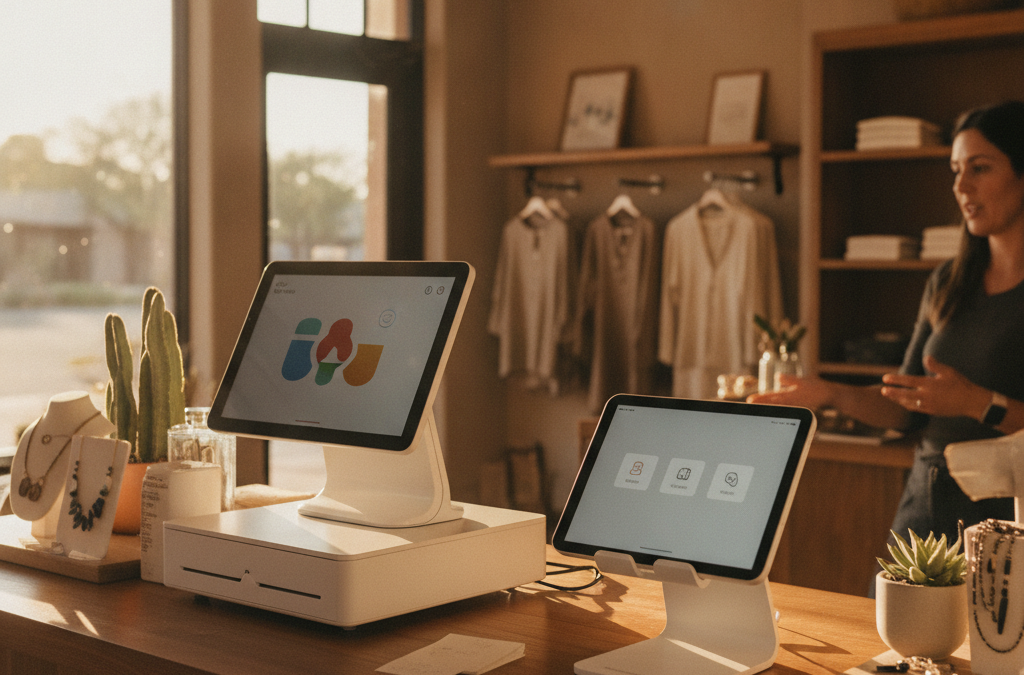
Clover gives you a full ecosystem of hardware and software that scales with your business. The Clover family of devices includes the Station for a full countertop setup, the Mini for a compact but fully capable register, the Flex for a handheld device that works tableside or on the floor, and the Go for lightweight mobile use. A retail boutique typically runs best with a Station or Mini as the main register, sometimes paired with a Flex for line-busting during busy periods.
On the software side, Clover’s App Market lets you add the functionality your specific business needs — loyalty programs, gift cards, advanced inventory, age verification, employee scheduling — without paying for a bloated all-in-one package you’ll never fully use. You build the system around your store, not the other way around.
For boutiques in high-traffic areas like Old Town Scottsdale or near McCormick Ranch, where you might see a significant jump in sales during snowbird season from November through March, Clover’s reporting tools give you visibility into what’s selling, when, and at what margin. That kind of data helps you plan purchasing and staffing around your actual business cycle.
The Hidden Cost Comparison Most Retailers Miss
When business owners compare Clover and Square, they usually look at the hardware sticker price and stop there. That’s the wrong comparison.
Square hardware is often cheaper upfront. But Square’s processing rates are non-negotiable — you’re paying whatever Square charges, full stop, no matter how your volume grows or how long you’ve been a customer. Square is a fintech company running a payments product. They’re not your merchant services provider in any meaningful local sense.
With Clover through a local provider like Good Payments, your processing rate is negotiated based on your actual business — your volume, your average ticket, your industry. Many Scottsdale retailers end up paying less per transaction through a Clover-based account than they would with Square, even after accounting for any Clover software fees. And on qualifying plans, Clover hardware can come at no upfront cost.
If you’re also interested in reducing your processing costs further, a Zero Cost Processing program — either a cash discount or compliant surcharge setup — works cleanly with Clover and can significantly cut your monthly processing expense. Square supports surcharging in some states, but the implementation and compliance guidance you get from a local rep is very different from what you’ll find in a Square help article.
What Competitor Agencies Aren’t Telling You About This Decision
Most of the local and national merchant services sites in the Phoenix metro that do cover this comparison focus almost entirely on hardware specs or generic feature checklists. What they skip over is the ongoing relationship after the sale.
When you set up Square, you’re on your own. Square’s business model doesn’t include a rep who checks in with you, helps you update your menu or inventory structure before a busy season, or troubleshoots a hardware issue before you open on a Saturday morning in December when your store is packed with holiday shoppers and tourists from out of state.
Working with a local Scottsdale-based merchant services provider means you have a real person — not a ticket number — when something goes wrong or when your business needs change. For growing boutiques in Chandler, Gilbert, or Tempe expanding to a second location, that kind of continuity matters. Multi-location reporting, unified inventory management, and consistent processing rates across locations are things Clover handles well and Square handles inconsistently depending on which plan you’re on.
Which System Is Actually Right for Your Scottsdale Shop?
Here’s the straightforward version:
- Square might make sense if you’re just starting out, doing low monthly volume, selling at occasional events, or you need something running today with zero setup time.
- Clover is likely the better fit if you’re running an established retail location, managing real inventory, have employees on shift, want room to grow, and care about your processing rate being competitive over the long term.
Most boutique owners in Scottsdale who switch from Square to Clover say they wish they’d made the move sooner. The main reason they didn’t? They assumed the transition would be complicated. In most cases, it isn’t — especially with local setup support.
Frequently Asked Questions
Can I switch from Square to Clover without losing my sales history or inventory data?
In most cases, yes. Inventory and sales data can be exported from Square and migrated into Clover before you go live. A local rep can walk you through the process so you’re not starting from scratch.
Does Clover work for boutiques that also sell online?
Yes. Clover integrates with e-commerce platforms and can sync in-person and online inventory. If you need a more robust online selling setup, a dedicated e-commerce and virtual terminal solution can also be layered in depending on how your online sales are structured.
Is Clover hardware expensive? What does it cost upfront?
Clover hardware pricing varies by device and plan. On qualifying merchant accounts with Good Payments, hardware can be provided at no upfront cost. Reach out directly for a quote based on your specific setup — pricing shouldn’t be a surprise.
Do I have to sign a long-term contract?
Not with Good Payments. There are no long-term contracts required. You’re not locked in, and there are no early termination fees hanging over your head.
What if my boutique is in Maricopa County but not in Scottsdale specifically?
Good Payments serves businesses throughout the Phoenix metro — Scottsdale, Phoenix, Tempe, Chandler, Gilbert, and beyond. Location doesn’t change what you get access to or the level of support you receive.
Ready to Figure Out Which Setup Actually Fits Your Store?
You don’t have to guess at this. Good Payments Merchant Services works with retail shops and boutiques across Scottsdale and the surrounding Valley, and we’ll give you a straight answer about which system makes sense for your volume, your team, and your budget — no pressure, no pitch, no jargon.
Reach out for a free consultation and rate review at getgoodpayments.com/contact-us or call (480) 745-0981. We’re local, we pick up the phone, and we’re not going to disappear after the sale.