

What’s the Best POS System for a Scottsdale or Tempe Retail Boutique or Gift Shop?
If you own a retail boutique or gift shop in Scottsdale or Tempe, the short answer is this: you need a POS system that handles real inventory — not just a card reader that rings up sales. The best setup for your business tracks products by size, color, and SKU, keeps checkout moving fast during busy stretches like snowbird season and the holiday rush, and gives you clear reporting without forcing you to dig through spreadsheets at the end of the night. This guide breaks down what actually matters for small retail operators in the Valley, and which POS options are worth your time.
Why Retail Boutiques Have Different Needs Than Other Small Businesses
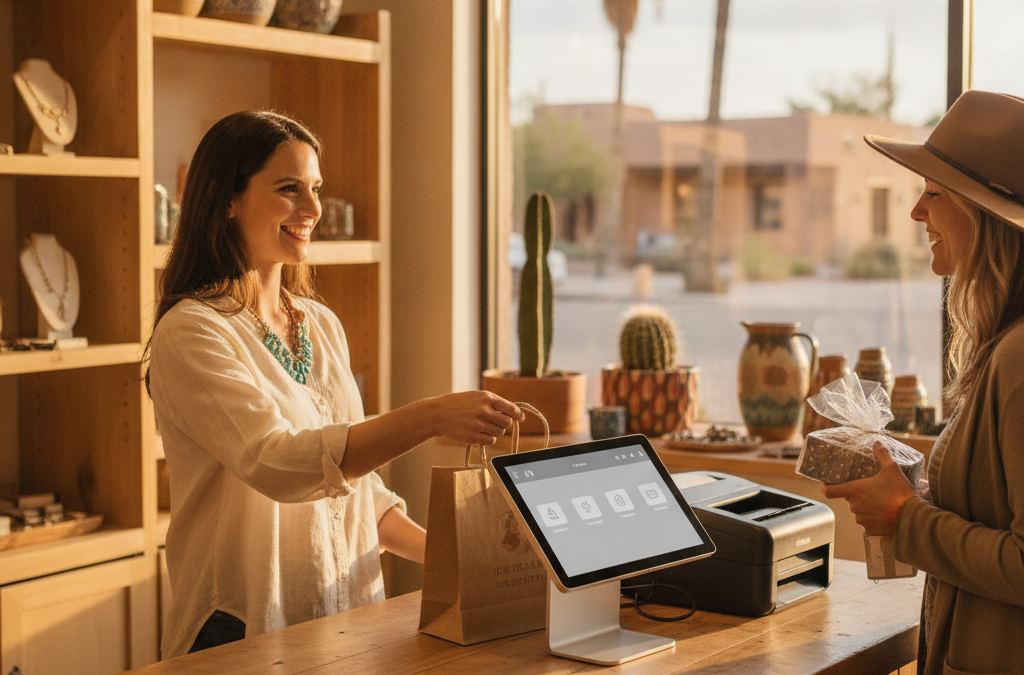
A boutique or gift shop isn’t a coffee bar or a service business. You’re managing physical inventory across multiple variants — sizes, colors, styles, suppliers — and you need your POS to stay on top of that without slowing down your team. When a tourist walks into your Old Town Scottsdale storefront and wants to buy three things while their shuttle waits outside, checkout has to be fast and clean. When a slow Tuesday hits in July, you need to know exactly what’s moving and what’s sitting on the shelf.
That’s a different set of demands from a food truck or a salon. Most generic national processor setups — and frankly, a lot of the advice you’ll find online — don’t dig into the specifics of retail inventory management, employee permissions, or how your POS handles returns and exchanges. That’s one of the biggest content gaps we see from other local processors in the Phoenix area: they talk about taking payments, but not about running a store.
The Clover POS Family: Which Device Fits a Retail Boutique or Gift Shop?
For most retail boutiques and gift shops in Scottsdale and Tempe, Clover POS is the most practical fit — and the specific device depends on your store layout and volume.
Clover Station — Best for Established Storefronts
If you have a dedicated checkout counter and decent foot traffic — think a boutique near Scottsdale Fashion Square or a gift shop in a busy North Scottsdale shopping center — the Clover Station is built for that environment. It’s a full countertop system with a large touchscreen, a customer-facing display, a receipt printer, and a cash drawer. Inventory management is robust: you can load your full product catalog, set low-stock alerts, run item reports, and manage employee shifts and permissions all in one place. It’s fast at checkout and built to handle a real retail operation, not just occasional sales.
Clover Mini — Best for Smaller Footprints
If your shop is compact — a boutique in a historic Old Town space, a gallery gift shop, or a pop-in concept — the Clover Mini gives you most of the Station’s functionality in a smaller footprint. It supports inventory, employee tracking, and integrated payments without dominating your counter. It’s a smart middle-ground option that works especially well when counter space is tight but you still need real POS features.
Clover Flex — Best for Roaming the Floor
If your team moves around the store to help customers, or if you want to accept payments without pulling customers to a register, the Clover Flex is a handheld device that handles chip, swipe, tap, and digital wallet payments anywhere in your store. It’s also useful if you do occasional off-site sales — a local market, a pop-up at a Tempe art festival, or a vendor event. The Flex keeps your inventory in sync with your main system so you’re never guessing what sold where.
What to Actually Look for in a Retail POS System
Here’s what boutique and gift shop owners in the Valley should evaluate before committing to any POS system:
- Inventory management by variant: Can you track items by size, color, and style? Can you set low-stock alerts? Can you run reports by product category or supplier?
- Employee permissions and shift tracking: Can you set different access levels for owners, managers, and part-time staff? Can you see who processed a return or voided a sale?
- Return and exchange handling: Returns are common in retail. Your POS should make them fast and simple, not a workaround.
- Integrated payment processing: Your card processing and your POS should talk to each other. Disconnected systems mean reconciliation headaches at month-end.
- Reporting you’ll actually use: Daily sales totals, best-selling products, slow movers, and revenue by employee — in a format that doesn’t require a degree to read.
- App Market integrations: Clover’s App Market lets you add tools for gift cards, loyalty programs, online ordering, and accounting integrations like QuickBooks — useful as your store grows.
Why Square Isn’t Always the Right Answer for Retail
Square is easy to set up, and that’s genuinely useful when you’re just getting started. But a lot of boutique owners in Scottsdale and Tempe come to us after outgrowing it. Square’s free plan has real limitations on inventory management — variant tracking, bulk imports, and reporting features are either limited or locked behind paid tiers. Customer support is mostly self-service, which is fine until something breaks on a busy Saturday in December and you need help fast.
Square also uses flat-rate pricing, which sounds simple but often costs more than interchange-plus pricing for a retailer doing consistent volume. If your average ticket is over $30 and you’re running $15,000 to $40,000 a month in card volume, the difference in processing cost is real money. A quick rate comparison with a local rep — no obligation — usually makes that clear pretty fast.
Seasonal Swings: What Scottsdale Retailers Need to Plan For
Retail in Scottsdale moves differently than retail in a city without tourism. Snowbird season runs roughly October through April, and that stretch drives a significant share of annual sales for boutiques and gift shops near Old Town, along the Loop 101 corridor, and in resort-adjacent shopping areas. Summer is slower — sometimes dramatically slower — and your POS setup should support both realities.
That means having clear inventory reports so you can buy smarter before the busy season, employee scheduling tools so you’re not overstaffed in July, and cash flow visibility so you’re not caught short. Next-day funding through your payment processor matters more than most boutique owners realize until they hit a slow patch and need working capital quickly. Good Payments offers next-day funding on qualifying accounts — it’s one of the things we set up from the start, not something you have to ask for later.
Zero Cost Processing: Worth Considering for High-Volume Retail
If your boutique does solid volume and processing fees are eating into margins, a Zero Cost Processing program — either a cash discount or a compliant surcharge setup — can significantly reduce or eliminate what you pay to accept cards. It’s not the right fit for every store, and it needs to be implemented correctly to stay compliant. But for a gift shop or boutique in Chandler, Mesa, or Scottsdale running consistent card volume, it’s a conversation worth having. We walk you through the math before you commit to anything.
Frequently Asked Questions
How much does a retail POS system cost in Scottsdale?
It depends on the hardware and your processing volume. Clover hardware ranges from a few hundred dollars for a Flex or Mini to over a thousand for a full Station setup. On qualifying plans through Good Payments, POS equipment is available at no upfront cost. Processing fees depend on your volume, average ticket, and card mix — we do a free rate analysis before you sign anything.
Can I manage inventory for multiple locations from one system?
Yes. If you have more than one boutique location — say, one in Old Town Scottsdale and one in Tempe or Chandler — Clover and the CardPointe platform both support multi-location reporting and inventory management from a centralized dashboard. You can see sales and stock levels across locations without logging in and out of separate systems.
What if I already have a POS system I’m locked into?
That’s more common than you’d think. A lot of boutique owners in the Valley are stuck in long-term contracts with processors that oversold them on equipment or buried fees in the fine print. We can review your current agreement, help you understand what it would cost to exit, and build a transition plan so there’s no gap in your ability to take payments. No pressure — just a straight conversation about your options.
Do I need a separate system for online sales?
Not necessarily. If you sell online as well as in-store, the right setup keeps your inventory and reporting unified. Clover integrates with e-commerce tools, and Good Payments can set up a virtual terminal or online gateway that syncs with your in-store POS so you’re not managing two separate systems. We cover this through our e-commerce and virtual terminal services.
Is there a long-term contract required?
Not with Good Payments. We don’t require long-term contracts on most setups. If the system isn’t working for your store, you’re not locked in. That’s a pretty different experience from what a lot of local boutique owners have dealt with from national processors.
Ready to Find the Right Setup for Your Boutique or Gift Shop?
If you’re running a retail boutique or gift shop in Scottsdale, Tempe, Mesa, or anywhere in the Phoenix metro, you deserve a POS setup that actually fits how your store operates — not a one-size-fits-all terminal with a customer support line that puts you on hold for 45 minutes. Good Payments is a local operation based right here in Scottsdale. Zoltan Hardi works directly with business owners to set up payment processing and POS systems that make sense for the way you actually run your business — no long contracts, no hidden fees, and someone who picks up the phone when something needs attention.
Reach out through our contact page to schedule a free rate analysis and system consultation. We’ll look at what you’re currently paying, show you what a better setup looks like, and let you decide — no hard sell, no obligation.