


What’s the Best Payment Setup for a Scottsdale or Tempe Brewery, Winery, or Taproom?
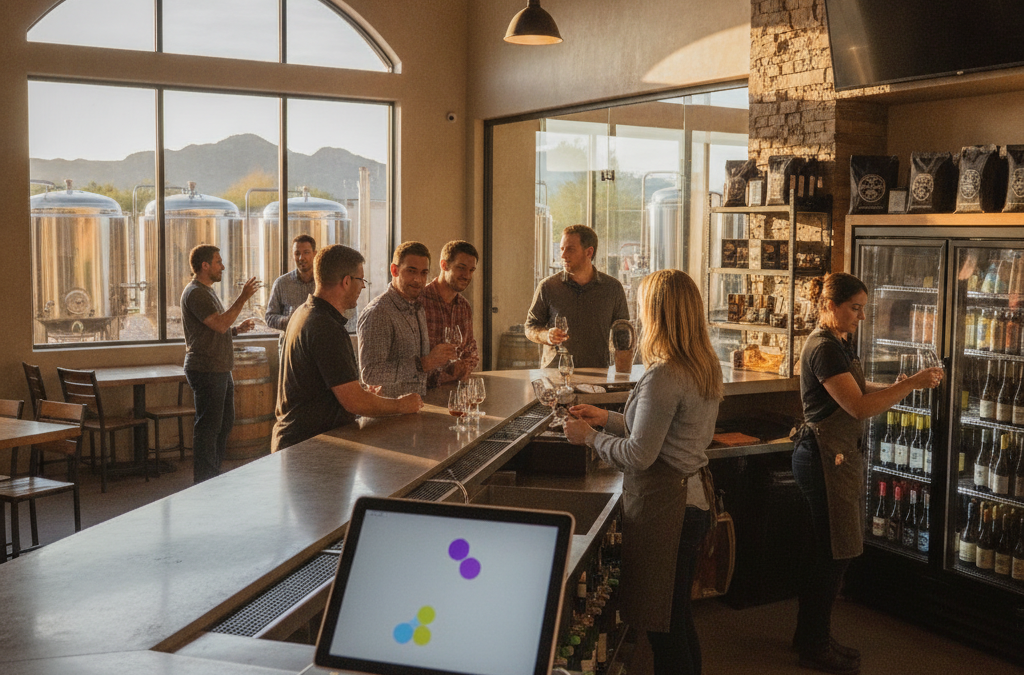
If you run a brewery, winery, or taproom in Scottsdale or Tempe, your payment needs don’t fit neatly into any one category. You’re part bar, part retail shop, part event venue — and during Arizona’s snowbird season, you might be all three at full volume on the same Saturday afternoon. The right payment setup handles bar tabs without slowing down your staff, rings up crowler fills and bottle purchases from the same screen, and gives you clear reporting on which parts of your business are actually profitable. The wrong setup costs you time, tips, and money you didn’t even know you were losing.
This guide is written for craft beverage owners across the Phoenix metro who are tired of piecing together workarounds and want a setup that actually fits the way they operate.
Why Generic POS Systems Fall Short for Taprooms and Tasting Rooms
Most national processors hand you a basic terminal or a one-size-fits-all tablet and call it a day. That works fine for a coffee shop or a quick-service counter — but a taproom has a more complicated transaction mix. You’re opening tabs, splitting checks, tracking pours by the ounce or flight, selling packaged retail products like cans and bottles, and potentially booking ticketed tasting events or private tours. A standalone terminal can’t do any of that. And a system designed purely for full-service restaurants often lacks the inventory and retail features you need for bottle sales.
The craft beverage scene across Tempe, Mesa, Chandler, and Gilbert has grown fast over the past several years. Owners who started with Square because it was free to set up often hit its limits quickly — especially when they want to open pre-authorized bar tabs, manage a small retail cooler, or track kegs across multiple taps. Square works for a lot of businesses, but it’s genuinely not built for the bar tab workflow that a busy taproom requires on a Friday night in Old Town Scottsdale.
The Right POS Hardware for a Brewery or Tasting Room
For most taprooms and tasting rooms with a counter or bar setup, a Clover POS system gives you the most flexibility. Here’s how the different Clover devices fit the typical brewery or winery model:
- Clover Station: Best for your main bar or service counter. Full-size touchscreen, customer-facing display, built-in receipt printer, and the power to run tab management, retail inventory, and employee shift tracking simultaneously. If you have a sit-down tasting room or a busy tap wall, this is your anchor station.
- Clover Mini: A good secondary station — useful at a separate retail counter where you ring up to-go purchases, growler fills, or merchandise. Smaller footprint, same core functionality.
- Clover Flex: Ideal for tableside service in a tasting room or for handing off to a customer to tap, dip, or sign without passing a card to your staff. Also useful if you pour at farmers markets or off-site events around the Valley.
- Clover Go: The entry-level mobile reader — good as a backup or for very small pop-up scenarios, but not a primary device for an active taproom.
One thing most competitors don’t explain clearly: Clover’s App Market lets you add integrations specific to your business. There are tab management apps, event ticketing integrations, inventory tracking tools, and age-verification reminder prompts. You build the system around how your business actually runs, not the other way around.
Bar Tabs, Pre-Auth, and the Details That Matter
Opening bar tabs is one of the most operationally important — and most overlooked — payment functions for taproom owners. When a guest opens a tab, you need to pre-authorize their card and keep it open until they’re ready to close out. Some processors and POS systems handle this cleanly; others create friction every time, or worse, don’t support pre-auth at all without an add-on.
Ask any processor you’re evaluating these specific questions before you sign anything:
- Does the system support open bar tabs with card pre-authorization?
- Can staff close tabs from multiple cards at the same station?
- How does the system handle tip adjustments after a tab is closed?
- What happens to an unclosed tab at end of shift — does it auto-close, or does a manager have to intervene?
If a sales rep can’t answer those questions confidently, that’s a red flag. These aren’t edge cases — they’re the core of how a taproom runs.
Retail Sales, Bottle Club, and Recurring Revenue
Many breweries and wineries in the Phoenix metro have added a retail component — packaged four-packs, bottles to go, branded merchandise, and bottle club or wine club memberships. Each of these requires different payment handling:
- Retail inventory needs SKU-level tracking so you know when you’re running low on a specific release without doing a manual count every week.
- Bottle or beer clubs are essentially recurring billing subscriptions — you charge a member’s card on a set schedule and ship or hold product for pickup. This is where a proper e-commerce or virtual terminal setup with recurring billing makes sense, rather than manually keying in cards every month and hoping nothing gets declined.
- Online ordering for pickup or local delivery is increasingly expected, especially for Arizona customers who want to pre-order a limited release without driving in.
Getting these three revenue streams talking to one system — rather than running your POS, your online orders, and your club billing as three separate tools — saves you hours every week and gives you a clearer picture of your actual revenue.
Zero Cost Processing: Worth Considering for Taprooms
Processing fees on bar and retail transactions add up fast. A busy taproom doing $50,000 to $80,000 a month in card volume could be paying $1,500 to $2,500 in processing fees alone. A cash discount or surcharge program can eliminate most or all of that cost by passing the fee to card-paying customers in a compliant, disclosed way.
Is it the right fit for every taproom? Not necessarily. In a high-end tasting room in North Scottsdale or Paradise Valley where guests expect a premium experience, some owners prefer to absorb the fee rather than call attention to it. In a more casual taproom setting, customers are generally used to seeing a small card fee — especially if you offer a cash discount as an alternative. It’s worth running the numbers before you decide either way. We can help you model that out at no cost.
Seasonal Volume and Why Your Processor Needs to Handle It
One thing that catches a lot of Valley breweries and wineries off guard: snowbird season. From roughly November through March, foot traffic in tasting rooms around Scottsdale, Gilbert, and Chandler spikes significantly. Then summer hits and things slow down. If you’re on a processor with monthly minimum fees, you may be paying fees during slow months that you never hit in volume. And if your system isn’t built to handle a surge in transactions without slowing down or crashing, a busy weekend during peak season turns into a customer service problem fast.
Make sure your setup includes reliable processing with no transaction-volume penalties, and that your hardware is on a plan that doesn’t punish you for Arizona’s seasonal rhythms.
Frequently Asked Questions
Can I use my existing POS if I’m opening a taproom addition to my restaurant?
Maybe — it depends on what system you’re running. Many restaurant POS systems can be configured to handle a bar tab workflow, but retail bottle sales and recurring club billing often require additional integrations or a separate setup. It’s worth a quick review before you assume it all works together.
Do breweries and wineries in Arizona count as high-risk for payment processing?
Alcohol retail can trigger additional scrutiny with some processors, but licensed breweries and wineries with standard operations generally qualify for standard merchant accounts without issue. Where it gets more complicated is if you’re selling across state lines online — that’s worth a separate conversation about your specific setup.
How do I handle tips at a taproom with a counter service model?
Most modern POS systems including Clover allow you to prompt for a tip at the time of payment on a customer-facing display, or include tip line options on printed receipts for tab closes. How tips are collected and distributed to staff is handled through your employee management settings — Clover’s reporting makes it easy to pull tip totals by employee for payroll.
What’s the best way to accept payments at off-site events like beer festivals around the Valley?
A wireless terminal or Clover Flex running on 5G or WiFi is your best option. Look for a device that supports store-and-forward processing, which means it can queue transactions locally if connectivity drops and process them once you’re back online. This is especially relevant at outdoor festivals in Phoenix or Tempe where cell signal can be inconsistent.
Can I get a demo or quote without signing anything?
Yes — and you should insist on that with any processor you talk to. Good Payments offers a free rate analysis and consultation with no obligation. If you’re currently locked into a contract with another processor, we can also help you understand exactly what it would cost to leave early versus staying until the term ends.
Talk to Someone Who Actually Knows the Valley
Good Payments Merchant Services is based in Scottsdale and works with businesses across the entire Phoenix metro — from brewpubs in Tempe to wine tasting rooms in Gilbert and Chandler. We don’t sell you a system and disappear. When something isn’t working on a busy Saturday night, you can actually reach someone.
If you’re opening a taproom, expanding your retail footprint, or just tired of overpaying for processing that doesn’t fit your business, let’s talk. Request a free consultation here and we’ll walk through your current setup, show you what a better one looks like, and give you real numbers — no pressure, no corporate jargon, no surprises.