Clover POS Systems in Fountain Hills, AZ | Good Payments Merchant Services
Running a business in Fountain Hills means you need a payment system that actually keeps up with your day. Whether you’re serving customers near Fountain Park or managing a busy shop close to SunRidge Canyon Golf Club, slow checkouts and confusing systems can cost you real money.
Here’s the thing. Most business owners don’t need something complicated. You need something that works, is easy to learn, and doesn’t slow your team down.
That’s exactly what the Clover Family of POS systems is built for.
At Good Payments Merchant Services, we help local businesses set up, use, and grow with Clover systems that fit how they actually operate.
Why Local Businesses in Fountain Hills Choose Clover?
If you’ve ever dealt with clunky terminals or confusing software, you already know the frustration. Long lines. Missed sales. Staff that don’t want to use the system.
Clover fixes that.
It’s simple to use, flexible, and built for real-world businesses like restaurants, retail stores, salons, and service providers across Fountain Hills and nearby areas like Scottsdale, Mesa, and Phoenix.
What makes Clover stand out?
- Fast checkout with tap, chip, or swipe
- Easy-to-read touchscreen interface
- Built-in tools for inventory and staff tracking
- Real-time sales reports you can check anytime
- Works for both in-store and mobile payments
Most people are surprised how quickly their team picks it up.
Security You Can Trust
Handling payments means handling sensitive data. That’s not something you want to take lightly.
Your Clover system includes:
- PCI DSS compliant processing
- EMV chip technology
- End-to-end encryption
- Tokenization for safer transactions
This keeps both your business and your customers protected.
Built for Businesses in Paradise Valley, AZ
Not every business needs the same setup. That’s why Clover offers several devices, each designed for different needs.
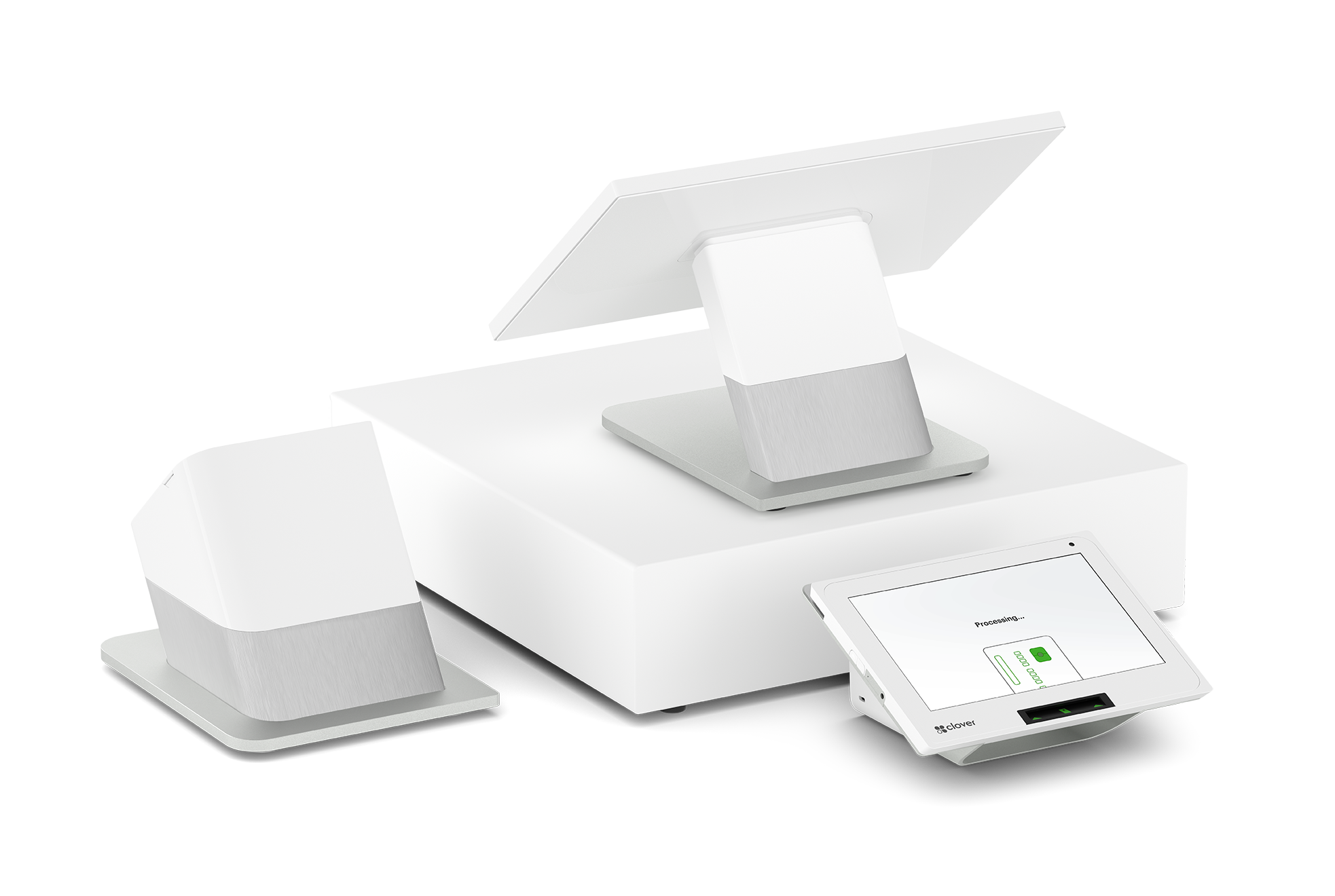
Clover Station (Full Counter System)
This is the main setup for busy locations.
- Large touchscreen display
- Built-in receipt printer and cash drawer support
- Best for restaurants, retail stores, and high-volume businesses
If you run a shop near Fort McDowell Casino or a busy retail space, this is often the go-to choice.
Clover Mini (Compact but Powerful)
Small footprint. Big features.
- Fits easily on smaller counters
- Accepts all payment types
- Great for cafes, boutiques, and service desks
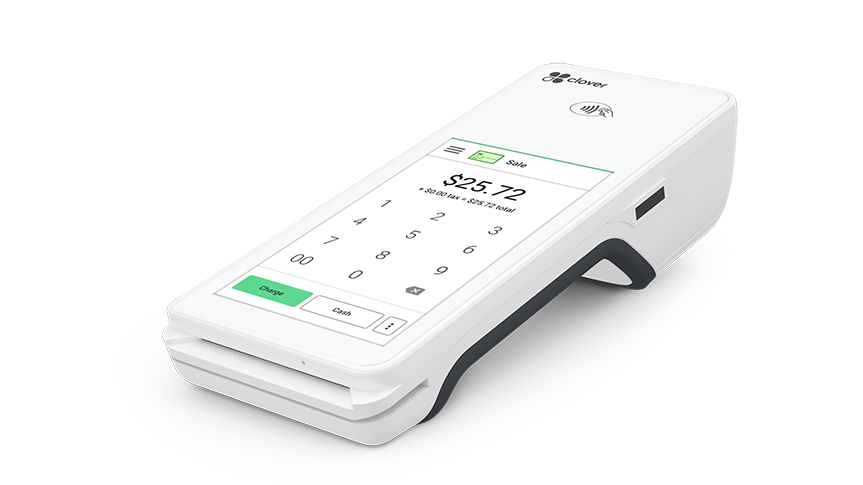
Clover Flex (Portable POS)
Need to take payments anywhere? This is it.
- Handheld device
- Accepts tap, chip, and swipe
- Perfect for tableside payments or mobile businesses
Clover Go (Mobile Card Reader)
Simple and affordable.
- Works with your smartphone
- Ideal for contractors, pop-ups, and small vendors
More Than Just a Payment System
A lot of competitors stop at selling hardware. That’s where most problems start.
We go further.
Payment Processing That Works Smoothly
You get:
- Credit and debit card processing
- Contactless payments like Apple Pay and Google Pay
- Secure EMV chip transactions
- Online payments and invoicing
- Recurring billing options
Everything connects in one place, so you’re not jumping between systems.
Built-In Business Tools You’ll Actually Use
This is where Clover really helps day-to-day operations.
- Track inventory without spreadsheets
- Manage employee hours and permissions
- Run reports to see what’s selling and what’s not
- Set up loyalty programs to bring customers back
Honestly, most business owners don’t realize how much time they save until they start using these tools.
How We Set Up Your Clover System (Step-by-Step)?
This part matters more than people think. A good setup saves you hours of frustration later.
Here’s how we do it:
1. Understand Your Business
We ask simple questions. What do you sell? How do you take payments now? What’s slowing you down?
2. Recommend the Right Clover Device
No guesswork. We match the system to your actual needs.
3. Full Installation & Configuration
We handle:
- Hardware setup
- Payment gateway connection
- POS configuration
- Inventory setup (if needed)
4. Staff Training
We show your team how to use it. No confusing manuals.
5. Ongoing Support
If something comes up, you’re not stuck figuring it out alone.
Why Businesses in Fountain Hills Work With Us?
You’ve got options. We know that.
Here’s what makes Good Payments Merchant Services different.
Real Support From Real People
When something goes wrong, you don’t want a call center. You want someone who actually helps.
Clear Pricing
No confusing statements. No hidden fees buried in fine print.
Flexible Agreements
Month-to-month options available, so you’re not locked in.
Experience That Shows
We’ve worked with businesses across Fountain Hills and nearby areas like Paradise Valley and know what works locally.
Equipment You Can Rely On
Clover devices come with warranties and ongoing support.
Who Is Clover Best For?
You might be wondering if this is the right fit for your business.
Clover works especially well for:
- Restaurants and cafes
- Retail stores
- Salons and spas
- Service-based businesses
- Mobile vendors and contractors
If you take payments regularly, this system can make your life easier.
Common Mistakes Businesses Make With POS Systems
Let’s be honest. A lot of people choose the wrong system.
Here are a few things we see all the time:
Picking Based on Price Alone
Cheap systems often cost more later in lost time and missed sales.
No Proper Setup
A rushed setup leads to errors, slow checkouts, and frustrated staff.
No Training
If your team doesn’t understand it, they won’t use it properly.
Using Too Many Tools
Separate systems for payments, inventory, and reporting create confusion.
Clover solves this by keeping everything in one place.
Local Focus: Serving Fountain Hills and Nearby Areas
We work with businesses throughout:
- Fountain Hills
- Scottsdale
- Mesa
- Phoenix
- Paradise Valley
Whether you’re near McDowell Mountain Regional Park or running a storefront downtown, we understand how local businesses operate.
Ready to Upgrade Your Payment System?
If your current setup feels slow, confusing, or outdated, it’s probably holding your business back.
A better system doesn’t just process payments. It saves time, reduces mistakes, and helps you understand your business.
That’s what Clover does.
And we make sure it’s set up the right way from day one.
How much does a Clover system cost?
It depends on the device and features you need. Clover Go is the most affordable, while Clover Station is a full system. We’ll walk you through options so you don’t overpay.
Can I accept contactless payments like Apple Pay?
Yes. Clover supports tap-to-pay, including mobile wallets and NFC payments.
Is Clover good for small businesses?
Absolutely. Many small businesses in Fountain Hills use Clover because it’s simple and scalable.
How long does setup take?
Most setups are completed quickly. In many cases, you can start accepting payments the same day or within a few days.
What happens if something stops working?
You’ll have access to support and guidance. We help troubleshoot issues so your business doesn’t lose sales.
Can Clover track inventory and sales?
Yes. You can monitor inventory, view reports, and track performance in real time.
Do I need a separate merchant account?
No. We help you set up everything together so your payment processing works right from the start.
Solutions For All Types Of Payments






Contact Info
Location
1776 N Scottsdale Road #8252
Scottsdale, Arizona 85252
Phone
Real Words from Real People We’ve Helped



Good Products Services We Provide
Location
Scottsdale, Arizona 85252
Phone
Business Hours

Our Services
Send Us A Message
Location
Scottsdale, Arizona 85252
Phone
Business Hours