

How Should a Scottsdale or Tempe Coffee Shop, Café, or Juice Bar Set Up Payment Processing?
If you own a coffee shop, café, or juice bar in Scottsdale or Tempe, your payment setup needs to do one thing above everything else: keep the line moving. A slow checkout, a terminal that crashes at 7:45 a.m., or a tip screen that confuses customers is enough to cost you sales and goodwill during your busiest window of the day. The good news is that getting the right payment system in place isn’t complicated — it just requires choosing tools that are actually built for fast, high-volume, low-ticket transactions rather than a generic one-size-fits-all solution.
Why Quick-Service Cafés Have Different Needs Than Full-Service Restaurants
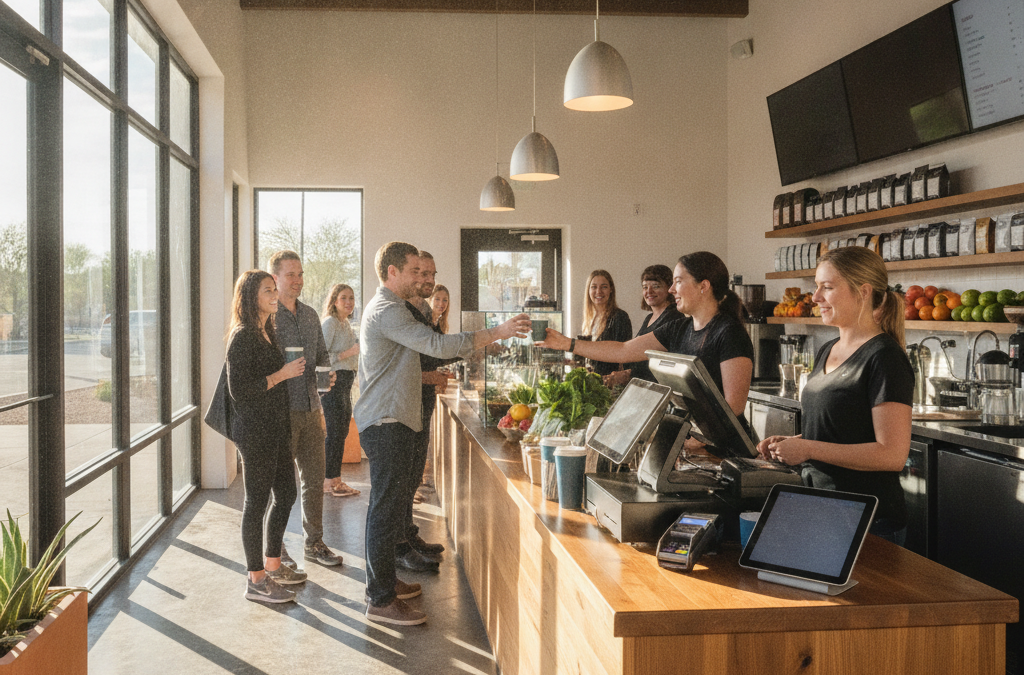
Most payment processing advice lumps every food business together. But running a café or juice bar is genuinely different from running a sit-down restaurant. Your average ticket might be $7 to $15. You’re doing dozens or hundreds of transactions in a short morning rush. Speed matters more than table management. You probably don’t need a full kitchen display system, but you absolutely need a clean tip prompt, reliable contactless tap-to-pay, and a system that doesn’t freeze when the WiFi hiccups.
Local cafés in Old Town Scottsdale, along the Mill Avenue corridor in Tempe, and throughout North Scottsdale’s office parks deal with waves of regulars on tight schedules. If your terminal slows down even slightly during the morning rush, you feel it in sales and in customer frustration. That’s why hardware selection and connection reliability are just as important as your processing rate.
The Right Hardware for a Coffee Shop or Juice Bar
You have a few solid options depending on your counter setup and how much you want to manage on the back end.
Clover Mini — The Sweet Spot for Most Counter-Service Cafés
The Clover Mini is one of the most popular choices for small cafés and juice bars across the Phoenix metro, and for good reason. It’s compact enough to fit a tight counter, accepts chip, swipe, contactless, and Apple Pay/Google Pay without any fuss, and the customer-facing screen handles tip prompts cleanly. You can manage a simple menu, track your best sellers, run basic inventory, and even manage employee clock-ins — all from the same device. For a single-location café, it covers most of what you need without overcomplicating anything.
Clover Station — If You’re Running a Busier Operation
If your café is doing serious volume — think a standalone espresso bar near a Scottsdale corporate campus or a Tempe juice bar with a full smoothie menu and a line out the door on weekday mornings — the Clover Station gives you a larger screen, a full receipt printer, and a more robust menu management system. It also connects to the Clover App Market, which opens up loyalty programs, online ordering integrations, and gift card functionality. If you’re planning to grow, it’s worth the step up.
Stand-Alone Terminals for the Simplest Setups
If you’re a very small operation — maybe a single-person juice bar at a Scottsdale farmers market or inside a gym — a stand-alone terminal might be all you need. These are straightforward, reliable, accept all payment types, and don’t require a monthly software subscription. You won’t get inventory tracking or employee management, but for a bare-bones setup, they do the job without adding complexity you don’t need.
The Tip Screen Issue — This Is Where Most Cafés Get It Wrong
Here’s something that almost none of the big national processors or competitor websites bother to explain in detail for cafés specifically: how you configure your tip prompt matters a lot, both for customer experience and for your staff’s take-home pay.
At a counter-service café, you want the tip screen to appear before the customer taps or inserts their card — not after they’ve already confirmed the sale. This is called a pre-authorization tip prompt, and it feels natural to customers because they see the tip request alongside the total, just like they would at a coffee chain. Systems that prompt for a tip after the payment confirmation often feel awkward and see lower tip acceptance rates.
With a Clover device through Good Payments, you can configure the tip prompt display, set your suggested percentages (or dollar amounts, which work better for low-ticket items), and adjust based on what works for your specific clientele. This is the kind of thing a local rep can help you set up correctly on day one — it’s not something you’ll easily find in a Square help article at midnight.
Processing Costs on $6–$15 Tickets: Make Every Cent Count
Processing fees hit harder when your average ticket is small. On a $7 latte, even a 2.9% + $0.30 flat rate means you’re losing almost $0.50 to processing — which on tight café margins adds up fast over hundreds of daily transactions.
One option worth considering is a Zero Cost Processing program, either through a cash discount or a surcharge. With a properly implemented cash discount program, card-paying customers see a slightly adjusted price, and you pass the processing cost on legally and transparently. For cafés with a customer base that’s used to paying card, this can meaningfully reduce what you spend on processing each month. It’s not right for every business — some café owners in Chandler or Mesa who’ve tried it report that regulars adapt quickly, while others in higher-end Scottsdale spots prefer to absorb the cost as part of their pricing strategy. It’s worth having an honest conversation about before you decide.
What the National Processors Don’t Tell You About Snowbird Season
If your café is in Scottsdale, Old Town, or anywhere in the northern part of the Valley, you already know that October through April looks completely different from July. Snowbird season brings a surge in foot traffic, tourist spending, and card volume — often from out-of-state cards that can carry slightly higher interchange rates. Then summer hits and things slow down dramatically.
This seasonal swing matters when you’re evaluating your processing agreement. A flat monthly fee that makes sense in January might sting during a slow June. With Good Payments, there are no long-term contracts locking you into terms that don’t fit your business cycle. You should be able to adjust, pause, or switch without a termination fee hanging over your head.
Online Ordering and Gift Cards: Worth Adding Early
More cafés across the Phoenix metro are adding online ordering — even if it’s just a simple pre-order pickup link — because customers expect it and it reduces counter congestion during rush hours. If you’re on a Clover system, adding an online ordering integration through the App Market is straightforward. You can also set up digital gift cards, which are a low-effort way to drive revenue especially around the holidays and during Scottsdale’s busy winter tourist season.
If you want a standalone e-commerce or online order page that ties into your payments, that’s also something Good Payments can help you set up through a virtual terminal or gateway — without forcing you into a separate, expensive platform.
Frequently Asked Questions
What POS system is best for a small coffee shop in Scottsdale or Tempe?
For most single-location cafés, the Clover Mini is the best fit — it’s compact, handles all payment types including tap-to-pay, supports a clean tip prompt, and gives you basic menu and employee management without being overly complex. Busier or growing locations may want to step up to the Clover Station.
How much does payment processing cost for a juice bar or café?
It depends on your volume and your average ticket size, but most small cafés end up somewhere in the 2.2%–2.9% range per transaction depending on card type and pricing structure. The key is making sure you’re not on an inflated flat rate that doesn’t account for your actual card mix. A free rate analysis can show you exactly where you stand compared to the market.
Can I set up a cash discount program at my café without confusing customers?
Yes — when it’s implemented correctly with clear signage and properly configured pricing, most customers accept it without issue. It works best when the cash price is your baseline and card customers see a small adjustment at checkout, rather than feeling like they’re being charged a surprise fee. Many cafés in the East Valley have adopted it successfully.
Does my café need a separate system for online orders and in-person orders?
Not necessarily. If you’re using Clover, many online ordering apps integrate directly with your existing POS so orders flow into the same system. This keeps your sales reporting, inventory, and end-of-day reconciliation in one place rather than spread across multiple dashboards.
What happens if my internet goes down during morning rush?
A good mobile or countertop terminal should support offline or store-and-forward mode, which means it queues transactions locally and processes them once the connection is restored. Make sure your terminal supports this before you’re stuck turning away customers because your router had a moment.
Ready to Get Your Café Set Up Right?
If you’re opening a new coffee shop, upgrading from a setup that’s costing you too much, or just tired of paying Square fees that don’t match your volume, Good Payments Merchant Services is a local option worth a conversation. Zoltan Hardi works directly with small business owners across Scottsdale, Tempe, Mesa, and the surrounding Valley — no call centers, no locked-in contracts, and no surprises on your statement.
Request a free rate analysis or consultation here and find out what a payment setup that actually fits your café looks like.