

How Should a Scottsdale or Peoria Business Set Up Payment Processing for Vending Machines and Unattended Retail?
If you operate vending machines, a micro-market, a parking kiosk, a self-checkout station, or any other kind of unattended retail location in Scottsdale or Peoria, setting up card payments is not as simple as signing up for Square and calling it a day. Unattended payment systems have their own technical requirements, rate structures, and compliance considerations — and getting them wrong can mean higher fees, more chargebacks, or a card reader that flat-out stops working at the worst possible moment. Here’s what you actually need to know.
Why Unattended Retail Is a Growing Opportunity in the Phoenix Metro
Across the Phoenix metro and Maricopa County, unattended retail is picking up steam. Office parks along the Loop 101 corridor, healthcare campuses, gyms, apartment complexes in Peoria and Surprise, hotel lobbies in North Scottsdale — all of these are landing spots for vending machines, micro-markets, and kiosks. The business model is attractive: low labor costs, 24-hour revenue, and a relatively small footprint. But the payment piece is where a lot of operators run into trouble.
Most general payment processors aren’t set up to handle unattended environments cleanly. The risk profile is different — no cashier to verify a card, no signature, often a lower average ticket — and if your merchant account isn’t properly configured for unattended transactions, you’ll either pay more than you should or get flagged as a high-risk account.
What Makes Unattended Payment Processing Different
When a customer taps a card at a vending machine or kiosk, that transaction runs as a card-present, unattended sale. But there’s no employee involved, which shifts certain liability and fraud considerations. Here’s what that means in practice:
- MCC code matters. Your merchant category code should reflect your actual business — vending machines have their own MCC, and being miscategorized can cause problems with your bank or card networks.
- Ticket size affects interchange. Low-dollar vending transactions (say, $2–$5) can get eaten alive by flat per-transaction fees if your pricing isn’t structured correctly for small-ticket volume.
- Contactless and NFC support is non-negotiable. Customers expect to tap their phone or card. If your hardware doesn’t support NFC, you’re losing sales — especially among younger buyers and tourists passing through Scottsdale’s resort and entertainment corridors.
- Offline or store-and-forward capability. If your machine is in a location with spotty connectivity — a basement break room, an outdoor kiosk in the summer heat — you need a reader that can queue transactions and process them when the connection is restored.
The Small-Ticket Problem — And How to Avoid Overpaying
This is the piece that most local processors and big national platforms gloss over: flat-rate pricing is often a terrible fit for unattended vending operations. If you’re running a traditional vending setup with $2–$4 items and you’re on a plan charging $0.15 per transaction plus a percentage, the math stacks up against you fast on high transaction volume.
What you should ask for instead is a plan designed for small-ticket merchants — sometimes called a micro-transaction or small-ticket interchange-plus plan. These are available from processors who actually understand your business model, and they can make a meaningful difference in your monthly processing costs. A local merchant services provider who takes the time to look at your average ticket and transaction volume can build a pricing model that fits, rather than dropping you into a one-size-fits-all rate structure.
This is also an area where Zero Cost Processing programs are worth considering. If your vending or kiosk setup allows you to post a small surcharge on card transactions, you can pass that cost to the buyer rather than absorbing it yourself — which is completely legal in Arizona when done correctly.
Hardware Choices for Vending and Kiosk Environments
Not every card reader is built for an unattended environment. Here’s a practical breakdown:
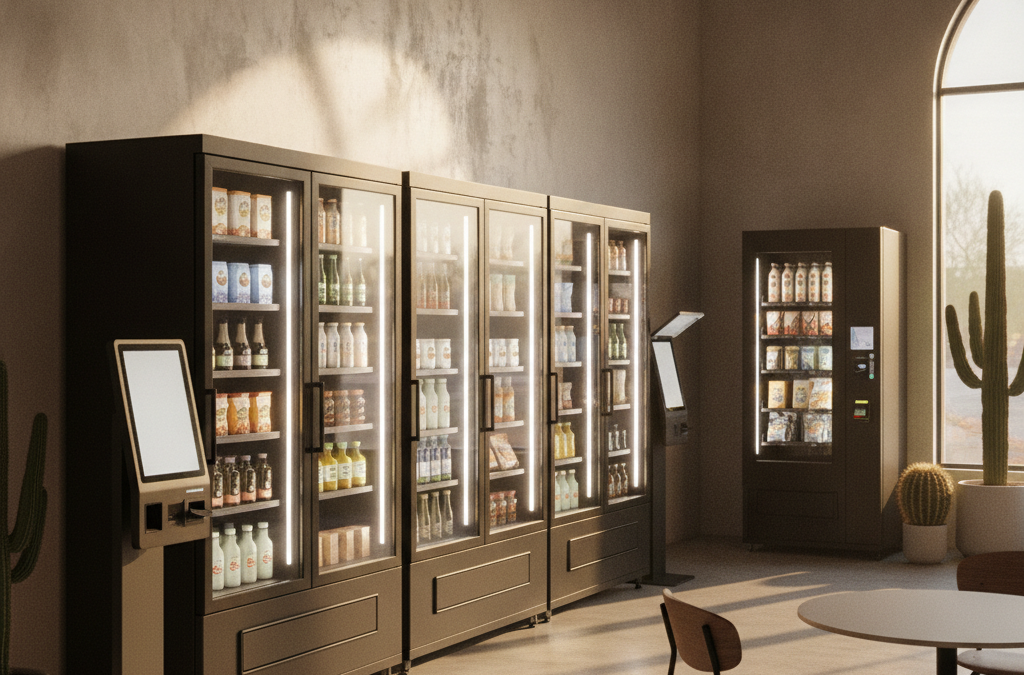
- Integrated vending card readers (brands like Nayax, USA Technologies, Cantaloupe) are purpose-built for vending machines and micro-markets. They connect to your machine’s control board and handle EMV chip, contactless NFC, and sometimes mobile wallet payments like Apple Pay and Google Pay. These typically require a merchant account set up specifically to work with the reader’s platform.
- Standalone kiosk terminals work well for self-checkout counters, parking pay stations, or any attended-to-unattended hybrid setup. These are often tablet-based or fixed terminals with a touchscreen interface.
- Wireless terminals with store-and-forward are a solid option for temporary or semi-permanent setups where you’re not sure about connectivity. If you’re running a seasonal pop-up vending operation — say, around Scottsdale snowbird season when traffic spikes in resort areas — a wireless terminal with offline capability keeps you running even when the WiFi drops.
For businesses that want a more full-featured platform with inventory tracking, sales reporting, and employee access management built in, a Clover device configured for self-service or kiosk mode can be a smart fit for micro-markets and larger unattended setups. Clover’s App Market includes integrations that can turn a Clover Mini or Flex into a kiosk terminal with a customer-facing interface.
What Competitors Aren’t Telling You About Unattended Merchant Accounts
Here’s a gap worth calling out directly: most of the local and regional payment processors serving the Phoenix metro area don’t have any real guidance on their websites for vending operators or unattended retail businesses. The big national platforms like Square and Toast are built around attended retail and restaurant environments. They’re not designed for unattended scenarios, and their support teams often can’t help you troubleshoot an integrated vending card reader or configure a micro-market account correctly.
That leaves a lot of vending operators in Peoria, Glendale, and across Maricopa County stuck either using a consumer-grade solution that wasn’t built for the job, or locked into a contract with a national processor who oversold them and underdelivered. If you’re in that situation, a free rate review with a local specialist — someone who can actually look at your account setup and your transaction data — is worth your time.
Questions to Ask Before You Commit to a Processing Setup
Before you sign anything or plug in a card reader on your vending machine, run through these:
- Is my merchant account coded correctly for unattended vending or kiosk transactions?
- What is the per-transaction fee, and how does it impact my margins at my average ticket size?
- Does this hardware support EMV chip and NFC contactless payments?
- What happens to transactions if my machine loses internet connectivity?
- Am I in a long-term contract, and what are the early termination terms?
- What kind of reporting will I get, and can I see transaction data across multiple machines in one place?
That last point matters more than most operators realize. If you’ve got five vending machines across different sites in Scottsdale and Peoria, you want consolidated reporting — not five separate logins and five separate statements to reconcile every month.
Frequently Asked Questions
Can I use Square for a vending machine in Scottsdale?
Square isn’t a great fit for traditional vending machine integration. It doesn’t connect to most vending machine control boards, and its flat-rate pricing can be expensive for high-volume, low-dollar transactions. Purpose-built vending card reader platforms with a proper merchant account are usually a better option.
Do vending machine card transactions cost more to process than regular retail?
Not necessarily — but your pricing structure matters a lot. High-volume, low-ticket transactions can get expensive fast if you’re on the wrong plan. Small-ticket pricing designed for vending operators can significantly reduce your per-transaction cost.
Is it legal to add a surcharge on vending machine card payments in Arizona?
Yes. Arizona does not prohibit card surcharging, and you can legally pass a card processing surcharge to customers in an unattended environment as long as you follow Visa and Mastercard disclosure requirements. This is typically done with a posted notice near the machine.
What if my vending machine location has unreliable WiFi or cell service?
Look for a card reader with store-and-forward capability, which queues transactions locally and processes them once connectivity is restored. This is especially relevant for basement locations, outdoor kiosks, or machines in buildings with thick concrete walls — all common in older Phoenix metro commercial properties.
Can I manage multiple vending machines or kiosks from one account?
Yes — and you should. A properly set up merchant account with multi-location or multi-terminal reporting lets you see transaction data across all your machines in one place. Platforms like CardPointe offer cloud-based reporting that makes this straightforward, even if your machines are spread across different zip codes in Maricopa County.
Ready to Set Up Payments the Right Way for Your Vending or Kiosk Business?
Whether you’re operating one vending machine in a Peoria gym or building out a micro-market operation across multiple locations in Scottsdale and Glendale, getting the payment setup right from the start saves you money and headaches down the road. At Good Payments Merchant Services, we work with local operators across the Valley to find the right hardware, the right pricing structure, and a merchant account that’s actually configured for your business — with no long-term contracts and no surprises on your statement.
Reach out for a free rate analysis and consultation at getgoodpayments.com/contact-us, or call us directly at (480) 745-0981. We’re a local shop — we actually pick up the phone.